The ShipControl app for the crew
Carry out maintenance tasks
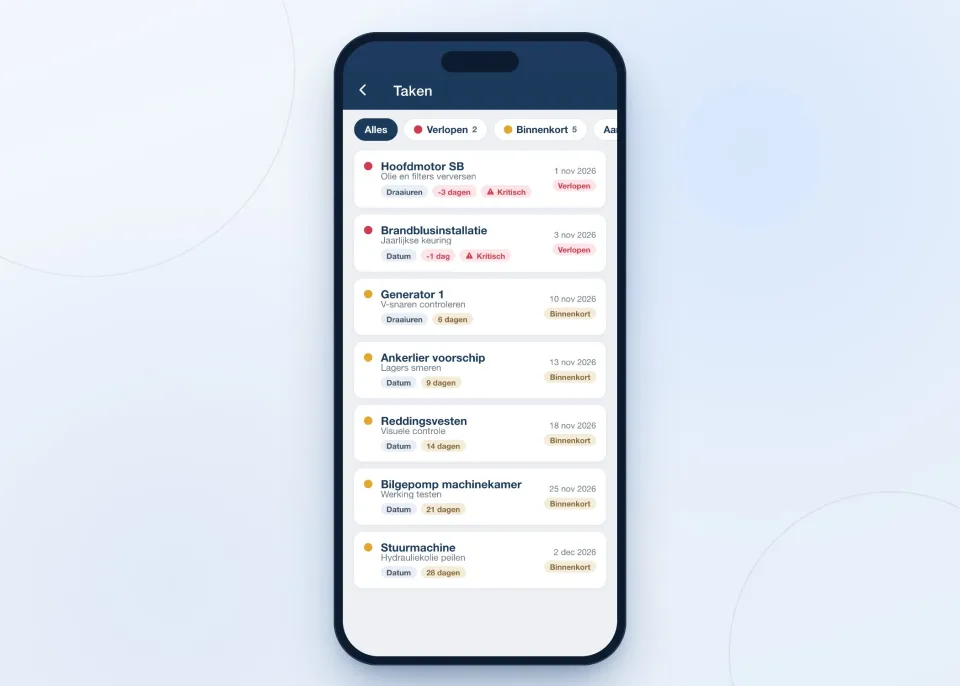
The crew sees which tasks are overdue, coming up or assigned to them.
When completing a task you enter meter readings, remarks and the date, and add a photo or work order. If a task can't be done yet, you postpone it with a reason.
Log working and rest hours
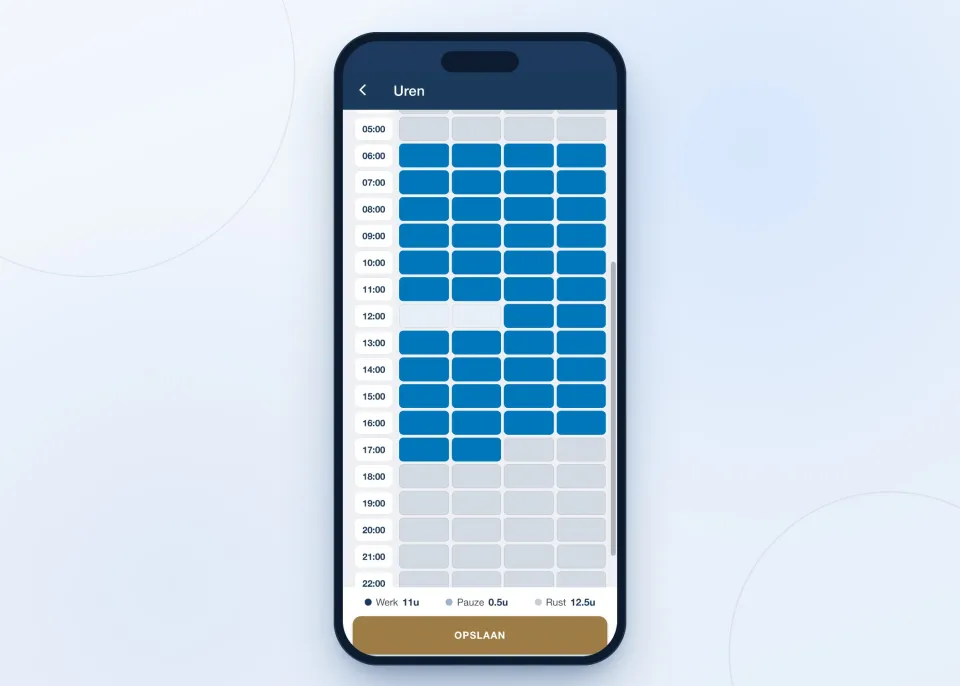
Mark per quarter of an hour when you worked, had a break or rested. Tap a start time and then an end time, and the app adds up the hours per day.
Keep track of tanks and running hours
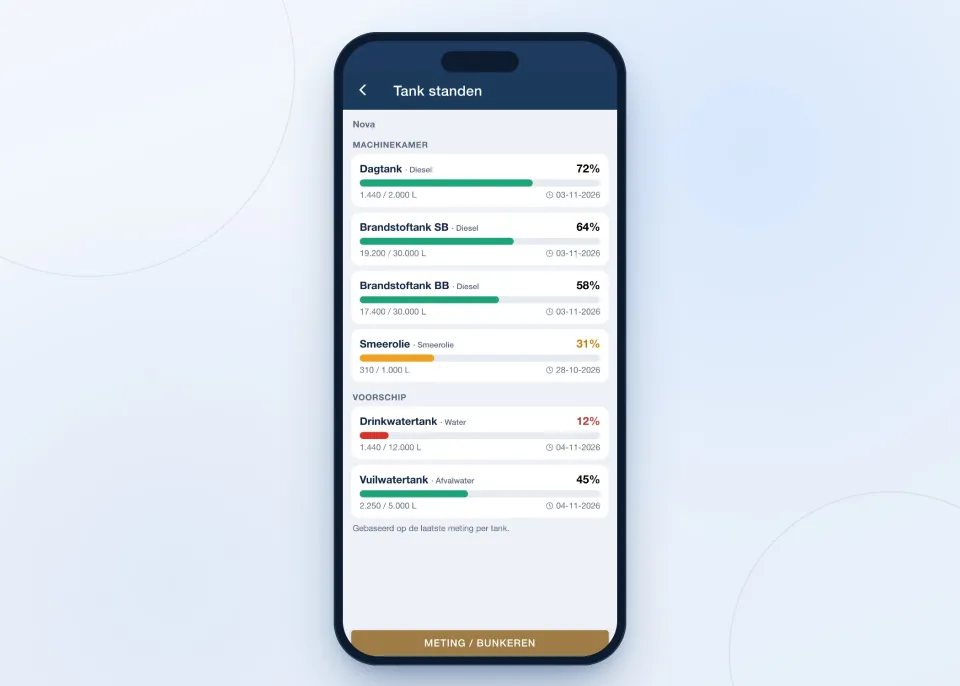
For each tank you see the current level, based on the last sounding. Record a new sounding or a bunkering in litres.
Enter the new running hours of a component, with the previous reading next to it.
Report defects and incidents
You report a defect step by step: which component, what is wrong, since when and what it means for sailing. With photos or a video the office sees right away what is going on.
Incidents on board are reported in the app too, with the measures taken and the cause. For ongoing repairs you add photos, a work order or an invoice.
Cash book, waste and transports
Record expenses with a photo of the receipt, register waste handed in per type and enter the times per location, the cargo and the soundings for a transport.
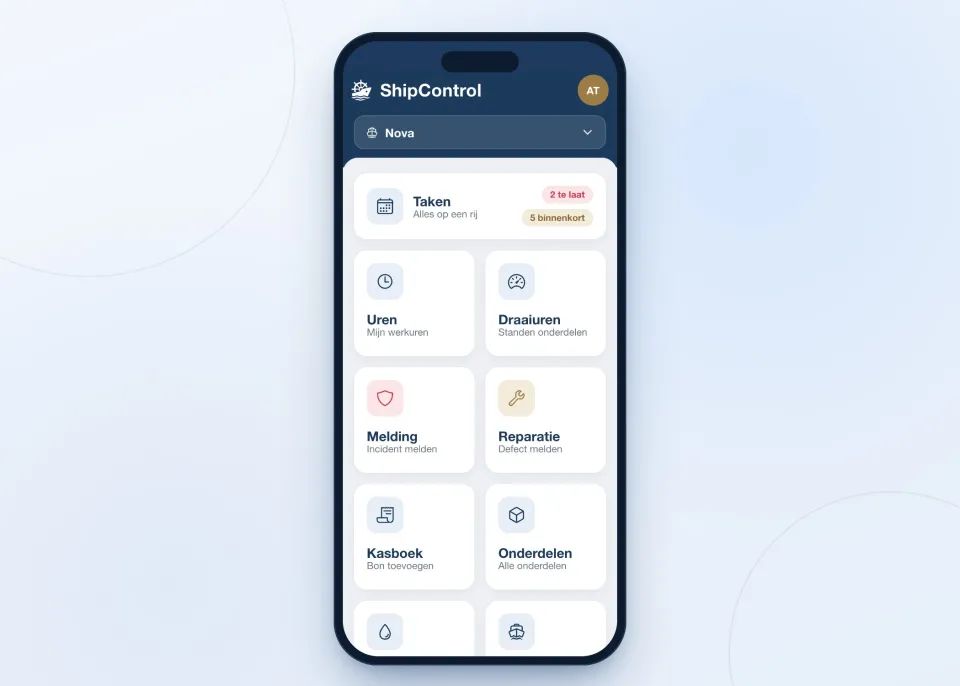
Every crew member sees what they need
The app only shows the modules in your package that the user has rights to. Crew who sail on several vessels switch vessel on the home screen. The app can be used in Dutch, English and German.